
Plugin Preview
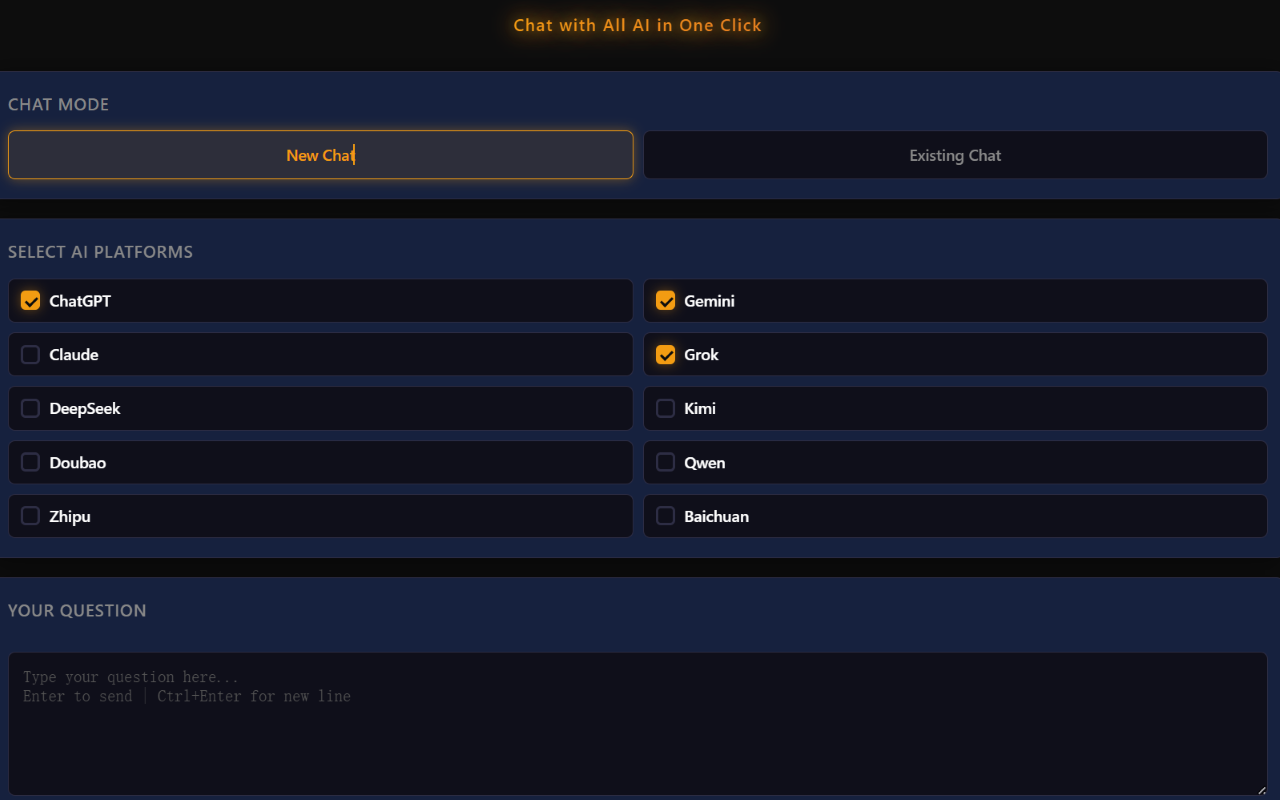
Overview
- What is this? This is a Chrome extension that lets you send the same prompt to all AI tabs currently open in your browser with just one click—so you can instantly talk to 10 major AI tools at once.
- Why do you need it? If you’ve ever compared responses across multiple AI models, you’ve probably noticed they don’t always agree—and sometimes they completely contradict each other. No single AI is always the most accurate. By querying multiple AIs simultaneously, you not only save time but also avoid being misled by any single model.
- Where to install? This extension runs entirely within your local browser—no tokens required, no data sent to external servers, and fully secure.
Install it here: https://chromewebstore.google.com/detail/fkaelackdhdgaabnocmfkhpjdphbifcm
Getting Started
- Open the Plugin Panel: Click the AskAllAI icon in your browser toolbar to open the plugin sidebar on the right.
- Select Conversation Mode: Choose New Chat to open a fresh conversation tab, or Existing Chat to use an already open AI conversation. If no AI page is available, a new tab will be opened automatically.
- Choose Your AIs: Select which AI assistants you’d like to send your question to. Currently, 10 AI platforms are supported.
- Send to All AIs: Press Enter or click the Send to All AIs button to submit your question to all selected AIs at once. You can also attach one or more files before sending.
Requirements
- You must be logged into each AI platform for the plugin to work properly. The plugin operates entirely locally within your browser and does not collect, store, or transmit any user data.
- Supported browsers: All Chromium-based browsers.
- Some AIs have specific file format limitations. If you encounter issues uploading files other than text or images, we recommend uploading manually on the AI’s webpage.
Special Notes
- DeepSeek can only recognize text within images, so it only supports images that contain text.
- Baixiaoying is a specialized medical AI that only answers medical questions and does not support image uploads.
- In Existing Chat mode, new questions will be appended to the current conversation. If you want to start a fresh conversation, you’ll need to manually open a new chat on the AI’s webpage first, then continue using the plugin.
Supported AIs
- Claude:https://claude.ai/new
- Gemini:https://gemini.google.com/app
- ChatGPT:https://chatgpt.com
- Grok:https://grok.com
- DeepSeek:https://chat.deepseek.com
- Kimi:https://www.kimi.com
- Doubao:https://www.doubao.com/chat
- Qianwen:https://www.qianwen.com/chat
- Zhipu:https://chat.z.ai
- Baichuan:https://ying.baichuan-ai.com/chat
Disclaimer
- This plugin requires permissions to open webpages and access AI websites. However, it runs entirely within your local browser with no server-side components. We do not collect, store, or transmit any of your data.
- This plugin is designed to improve personal productivity. Please do not use it for illegal purposes.
- This plugin is completely free. We do not guarantee permanent stability or availability.
- If the plugin stops working due to changes on AI platforms, please leave feedback on this page or the extension store. Thank you!
- Chrome Web Store: https://chromewebstore.google.com/detail/fkaelackdhdgaabnocmfkhpjdphbifcm
© 版权声明
文章版权归作者所有,未经允许请勿转载。
相关文章




暂无评论...